Master Recursion
Through Vision.
A powerful tool designed to help developers easily visualize and debug the recursion stack, enhancing understanding and efficiency in solving complex Recursive and Dynamic programming problems.
integration_instructionsHow to Use
Follow these steps to visualize your recursive code.
Prepare IDE
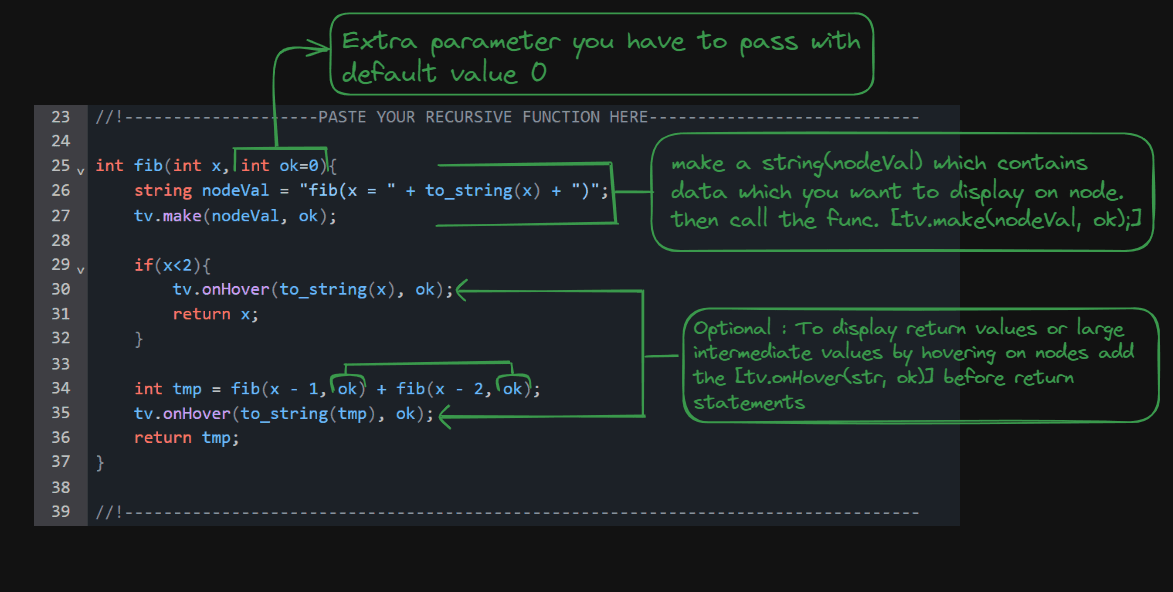
Code/Paste your recursive program into the IDE below. Make the following changes to your recursive code.
Do not modify any of the already written code.
Add Parameters
Add one extra parameter (let say 'ok') to your recursive and give it a default value 0. Just after entering the recursive function, create a string that includes the function name and the values.
Don't forget to pass again the parameter 'ok' in the recursive calls.
Return Values
If your function has a return value and you want to include it in the visualization, store it before returning.
At last run the code by giving input(if any), a output will be generated after that click on Visualize button.
Important Notes
- The Code execution may become slow because of the Tree Builder overhead.
- Don't add "\n" for new lines when coverting data to string. It will break the JSON. Use already defined macro `br` for new line.
- Use pre-defined functions like getVectorToString, get2DVectorToString to convert arrays to string.
- If the online IDE is not working, copy the boiler-plate in any other IDE & modify it accordingly. Generate the output and paste it in Output panel and Visualise
AI Modification Prompt
Too lazy to go through these steps manually?
Use this PROMPT.md along with your code to let the LLM modify your recursive function accordingly.
visibilityExample
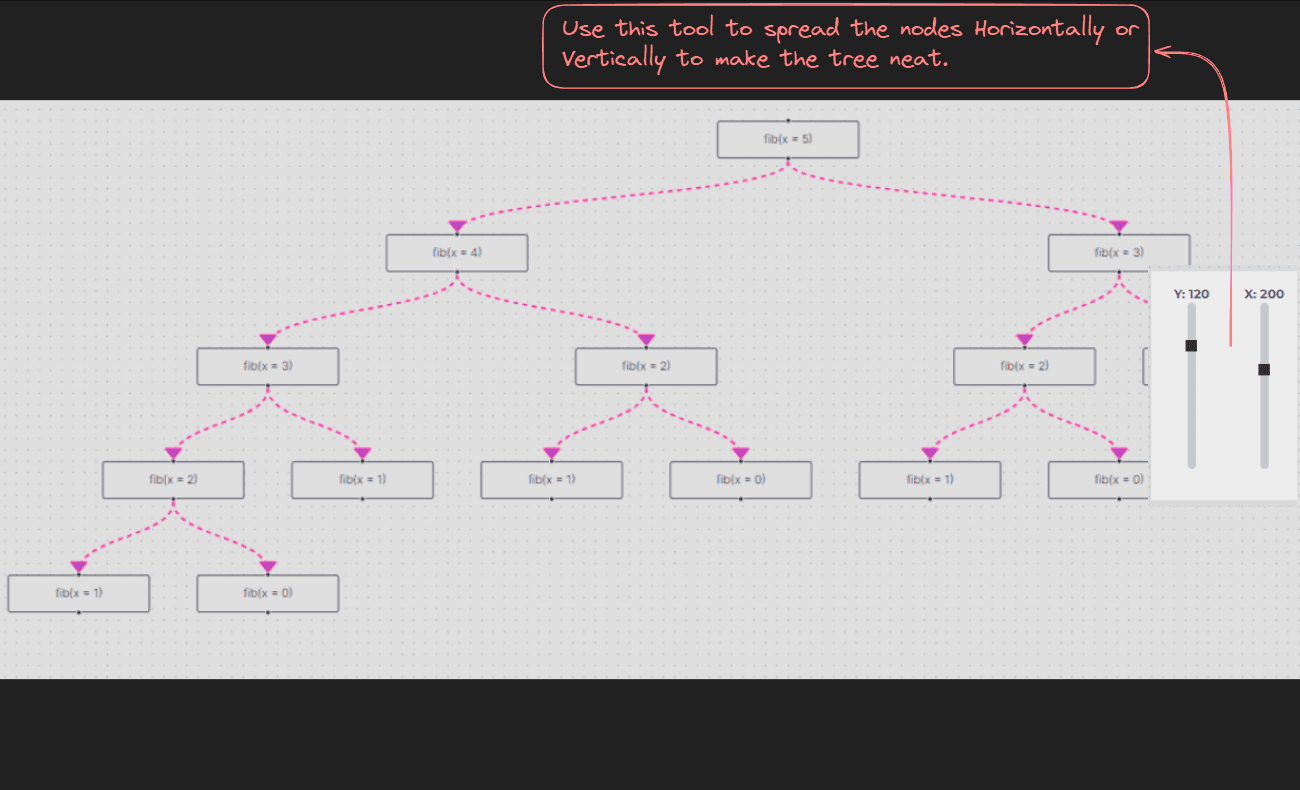
Here is a example of how to setup your cpp recursion code and how generated trees are like.
Loading Algorithms...